🍪 Nous utilisons des cookies pour améliorer votre expérience. Les cookies fonctionnels sont toujours actifs ; les outils d'analyse (PostHog et Google Analytics) ne sont chargés qu'après votre accord. En savoir plus dans notre politique de confidentialité.
Mockify
Mockify
The Corner generator — Boursorama app

Create fake The Corner screens in 2 clicks

Updated August 13, 2026·by the Mockify team

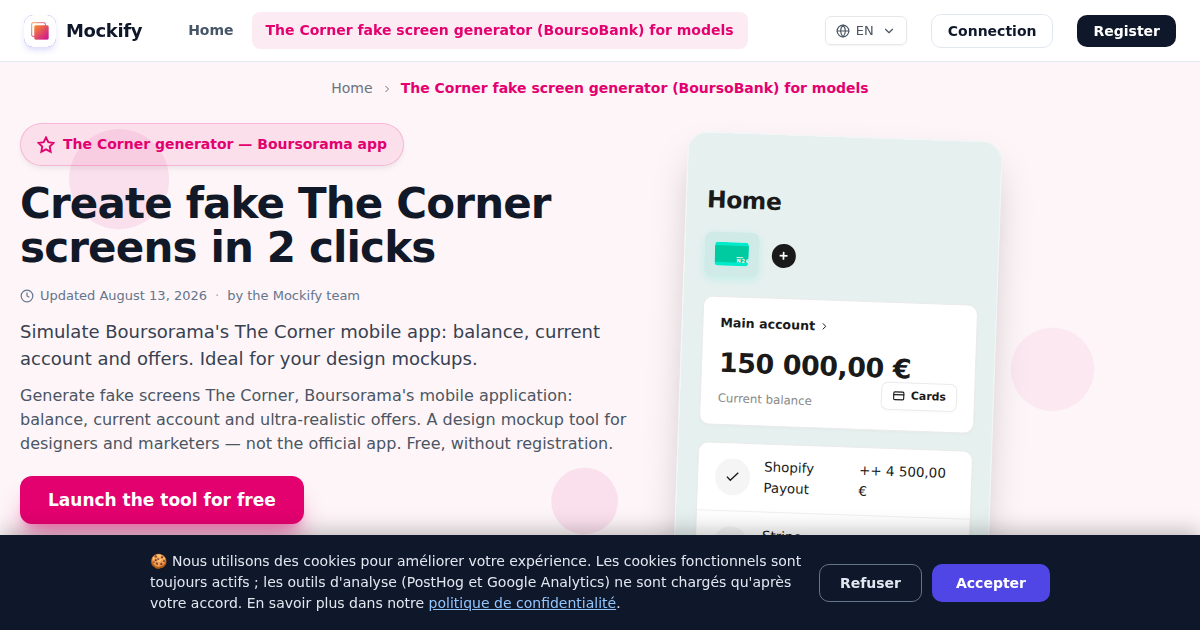
Simulate Boursorama's The Corner mobile app: balance, current account and offers. Ideal for your design mockups.

Generate fake screens The Corner, Boursorama's mobile application: balance, current account and ultra-realistic offers. A design mockup tool for designers and marketers — not the official app. Free, without registration.

⚡No registration required
💳No bank card
✨Free Use
Loading...

Why create a conversation mockup?

No more complicated tools. Create professional mockups in just a few clicks.

Realistic The Corner fake screen generator (BoursoBank) for models

Create polished The Corner fake screen generator (BoursoBank) for models screenshots for social media and engage your audience.

UX/UI design

Use The Corner fake screen generator (BoursoBank) for models mockups in client presentations and design portfolios.

Viral marketing

Use the familiar The Corner fake screen generator (BoursoBank) for models interface to create ads that do not look like ads.

Prêt à essayer notre générateur de écran The Corner (BoursoBank) pour maquettes ?

Créez votre première capture en moins d'une minute.

Create your mockup in 4 simple steps

Mockify is designed to be intuitive and fast, allowing you to generate realistic screenshots in seconds.

1

The Corner fake screen generator (BoursoBank) for models template

Select the The Corner fake screen generator (BoursoBank) for models template from our tools.

2

Customization

Add participants, photos and messages to make it realistic.

3

Content

Simulate a real conversation with emojis, images and dates.

4

HD export

Download your creation in high quality, without a watermark (Premium).

A preview of what you will create

Example of a screenshot exported from Mockify, ready to use.

Example of a realistic screenshot generated with Mockify

Loved by Creators, Designers and Marketers

Use our tools to create engaging content, beautiful design mockups or impactful marketing campaigns.

★★★★★

"The result is astonishingly realistic. My clients can't see anything in it."

M
Marie L.
UI designer
★★★★★

"I use Mockify for all my social media mockups. Huge time savings."

T
Thomas R.
Marketer
★★★★★

"Simple, quick and the result is professional. I recommend 100%."

S
Sarah B.
Content creator

Choose your plan

Free features for everyone, and premium tools for professionals.

Free
0€
Perfect for trying Mockify
Premium Monthly
9,99€ /month
For occasional needs
Mockify for life
99€ single payment
The Ultimate Offer — Pay Once, Pay Forever

Explore our other tools

Mockify offers dozens of simulators for all your content creation needs.

Everything you need to know

Questions? We have the answers to help you get the most out of Mockify.

How do I create a fake The Corner fake screen generator (BoursoBank) for models conversation?
Choose the The Corner fake screen generator (BoursoBank) for models template, add participants and write messages just like in the real app.
Are The Corner fake screen generator (BoursoBank) for models mockups realistic?
Yes. Mockify closely reproduces the The Corner fake screen generator (BoursoBank) for models interface so your screenshots look authentic.
Is the The Corner fake screen generator (BoursoBank) for models tool free?
You can create The Corner fake screen generator (BoursoBank) for models mockups for free. Some advanced options and watermark removal require Premium.
Is my The Corner fake screen generator (BoursoBank) for models data private?
Yes. Your conversations and images are processed in your browser and are not stored on our servers.
Is it legal to use Mockify?
Yes, Mockify is a legal and free creation tool. It is designed for mockups, prototypes, demos and creative content clearly identifiable as fictional. However, identity theft, fraud and deception are strictly forbidden: each user is responsible for how they use their creations.
Can I use a mockup created on Mockify for a professional project?
Yes, that is the main use case: client presentations, prototypes, case studies, product demos and portfolios. For any public use, the mockup must remain identifiable as fictional.
Can Mockify be used for UX tests or campaigns?
Yes — design and marketing teams use it to test user journeys, prepare A/B tests or illustrate concepts. What matters is that the context (page, presentation, article) makes the fictional nature of the mockup clear.
What happens if someone uses Mockify to commit fraud?
Created content is the responsibility of its author. Mockify formally forbids these uses, may suspend an account and cooperates with authorities in case of proven wrongdoing. See the Terms of Use.

Prêt à créer vos captures d'écran écran The Corner (BoursoBank) pour maquettes ?

Rejoignez des milliers de créateurs qui font confiance à Mockify.

You might also like these tools