Mockify
Mockify
Mockify Generator

Create a Fake YouTube Channel

Updated August 13, 2026·by the Mockify team

Banner, subscribers and latest videos: picture your channel as if it had already blown up.

Create a fake YouTube channel: banner, photo, subscribers, videos and description. Free, no sign-up.

⚡No registration required
💳No bank card
✨Free Use
Loading...Preparing the preview

A YouTube channel visual, no account or login

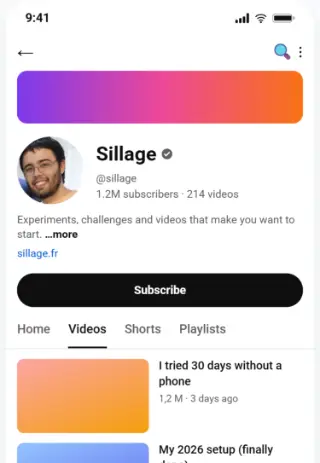
Mockify recreates the YouTube channel screen from what you type: the name, banner, photo, subscribers, video count and description. Nothing is posted or connected to your account: you only export an image.

Realistic YouTube Channel Generator

Create polished YouTube Channel Generator screenshots for social media and engage your audience.

UX/UI design

Use YouTube Channel Generator mockups in client presentations and design portfolios.

Viral marketing

Use the familiar YouTube Channel Generator interface to create ads that do not look like ads.

Start from a template

Ready-made scenes to customize: pick one, change the text, download.

Ready to create your YouTube channel?

Your first visual in less than a minute.

Create your mockup in 4 simple steps

Mockify is designed to be intuitive and fast, allowing you to generate realistic screenshots in seconds.

1

1. Open the YouTube channel generator

The editor opens on a sample ready to edit.

2

2. Customize

Edit the name, banner, photo, subscribers, video count and description.

3

3. Add your images

Upload your photos; without an image, a sample visual is shown.

4

4. Export

Download the image as PNG or JPG, without a watermark on a paid plan.

A preview of what you will create

The exact image you download, in the free and Premium versions.

mockify-fausse-chaine-youtube.pngFree export
9:41
←🔍 ⋮
Sillage
@sillage
1.2M subscribers · 214 videos
Experiments, challenges and videos that make you want to start. …more
sillage.fr
Subscribe
HomeVideosShortsPlaylists
I tried 30 days without a phone
1,2 M · 3 days ago
My 2026 setup (finally done)
845 k · 2 weeks ago
A day in my creator life
312 k · 1 month ago
Made with Mockify.frfree version
Subtle Mockify.fr watermark
mockify-fausse-chaine-youtube-hd.pngPremium export
9:41
←🔍 ⋮
Sillage
@sillage
1.2M subscribers · 214 videos
Experiments, challenges and videos that make you want to start. …more
sillage.fr
Subscribe
HomeVideosShortsPlaylists
I tried 30 days without a phone
1,2 M · 3 days ago
My 2026 setup (finally done)
845 k · 2 weeks ago
A day in my creator life
312 k · 1 month ago
HD, no watermark

Loved by Creators, Designers and Marketers

Use our tools to create engaging content, beautiful design mockups or impactful marketing campaigns.

★★★★★

"The result is astonishingly realistic. My clients can't see anything in it."

M
Marie L.
UI designer
★★★★★

"I use Mockify for all my social media mockups. Huge time savings."

T
Thomas R.
Marketer
★★★★★

"Simple, quick and the result is professional. I recommend 100%."

S
Sarah B.
Content creator

Choose your plan

Free features for everyone, and premium tools for professionals.

24h Pass

€2.90one-time payment

Just for today, full Creator access for 24 hours

  • Watermark-free exports, HD and transparent background
  • Unlimited exports (PNG, GIF, video, ZIP)
  • 9:16 story videos with sound and music (40 messages)
  • AI voice-over: 3 videos
  • AI stories: 10 generations
Unlock 24h for €2.90

Agency

€20.75/ month

€249 billed yearly

Everything in Creator, plus:

  • Client approval links
  • 3 team members
  • Batch generation from CSV
  • AI voice-over: 150 videos per month
  • AI stories: 1000 generations per month
  • Unlimited brand kits
Go Agency
BLACK FRIDAY −34%

Creator lifetime

Pay once, keep Creator forever

€149€99one-time payment

Choose lifetime access

Free: 1 export per day (3 with an account), watermarked.

Explore our other tools

Mockify offers dozens of simulators for all your content creation needs.

🛡️

For creating, not deceiving

These visuals are for videos, memes, presentations and mockups. Do not present them as real numbers or real exchanges to mislead a partner, a brand or your audience.

Everything you need to know

Questions? We have the answers to help you get the most out of Mockify.

How do I create a fake YouTube channel?
Open the generator, edit the name, banner, photo, subscribers, video count and description, then export the image. Everything happens in your browser.
Do I need to connect my account?
No. Mockify never connects to any social network: you type the displayed information yourself.
Is the generator free?
Yes, creating and exporting is free with a watermark. Paid plans remove the watermark and unlock HD exports.
Is it legal to use Mockify?
Yes, Mockify is a legal creation tool designed for mockups, prototypes, demos and creative content clearly identifiable as fictional. Identity theft, fraud and deception are strictly forbidden.

Ready to create your own visuals?

Join the creators who use Mockify.

You might also like these tools

Fake LinkedIn Profile Generator: realistic profile mockup

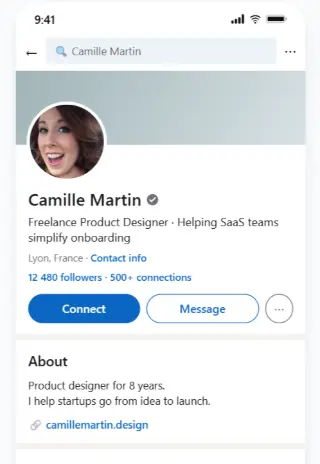
Create a fake LinkedIn profile: photo, banner, headline, followers, connections and About section. Great for mockups, decks and training. Free.

Fake Twitch Channel Generator: streamer profile mockup

Create a fake Twitch channel: banner, followers, bio, Follow and Subscribe buttons, recent VODs. For mockups and videos. Free.

Fake TikTok Profile Generator: creator profile

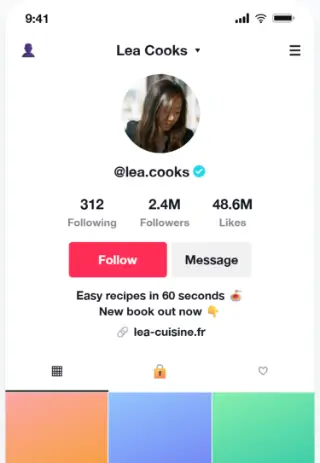
Create a fake TikTok profile: photo, handle, bio, followers, likes and video grid. Free, no sign-up.

Fake X (Twitter) Profile Generator

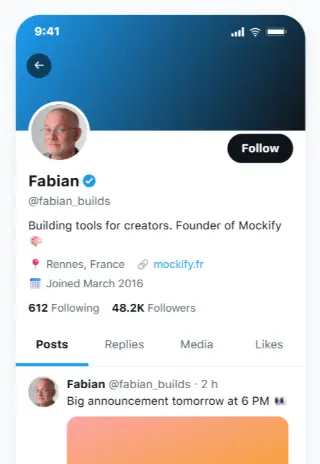
Create a fake X (Twitter) profile: banner, photo, bio, badge, followers and first post. Free, no sign-up.

Instagram profile (Feed)

Generate a complete Instagram profile with its feed, highlights and statistics.

Fake YouTube Live Generator: live stream with chat

Create a fake YouTube live: title, viewers, likes, subscribers and a scrolling live chat. Great for videos, mockups and stream announcements. Free.

Fake YouTube Comment: Realistic Comment Generator

Simulate detailed YouTube comment sections.

Fake YouTube Comment Generator: Create Realistic Comments

Create fake YouTube comments in 2 minutes: authors, @handles, timestamps and replies, in desktop or mobile view. Free generator, no sign-up.

Fake YouTube Comment Generator

Generate fake YouTube comments with likes, replies and timestamps. Perfect for mockups.

YouTube Stats Generator: Create Realistic Fake Analytics

Create editable fake YouTube stats and a realistic Studio-style dashboard with views, subscribers, revenue and charts.