Mockify
Mockify
Plumber business card

The card customers keep next to the boiler

Updated August 13, 2026·by the Mockify team

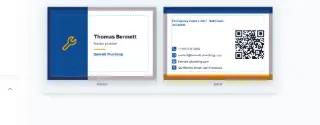
Three templates for plumbers and heating engineers: front, back and QR code at 3.5 × 2 in or 85 × 55 mm, 300 dpi.

Create your plumber or plumbing & heating business card: 3 templates (classic, emergency, heating), QR code, logo, 300 dpi print files with bleed.

⚡No registration required
💳No bank card
✨Free Use
Loading...Preparing the preview

What customers look for on a plumber’s card

A plumber’s card is mostly used on the day of the leak: it sits on the fridge or next to the water meter, and the customer needs to find your number in a second. So the templates put the phone number first, with your specialty (repairs, bathrooms, heating) and service area. On the back, a QR code opens your website or saves your contact card on the phone: no more typing the number. Files come out at 300 dpi with bleed, ready for an online printer, or as an A4 sheet of 10 cards to print yourself.

A card made for the trade

📞

Number first

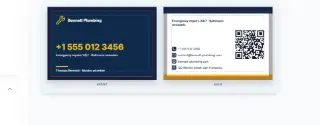
The emergency template shows your phone number in large type, readable at a glance.

🔳

Contact QR code

One scan saves your number on the customer’s phone, with your name and trade.

🖨️

300 dpi with bleed

3.5 × 2 in or 85 × 55 mm, with bleed and a safe zone, as printers require.

The complete plumber kit

The three cards, plus everything that goes with them: flyers, review QR code, Facebook cover, email signature.

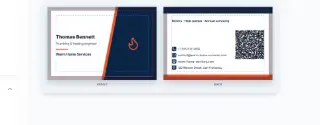
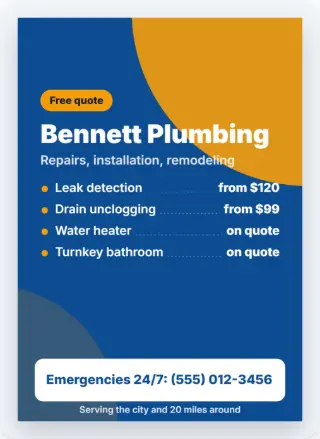
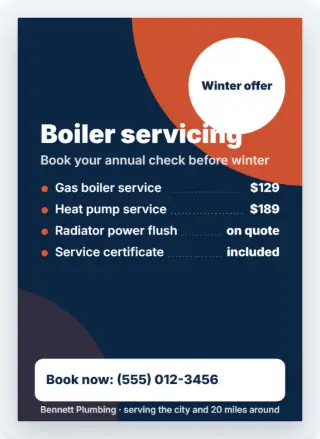
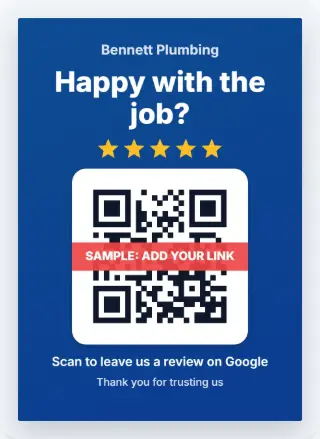
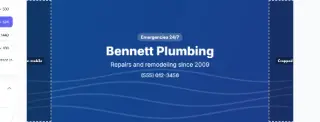
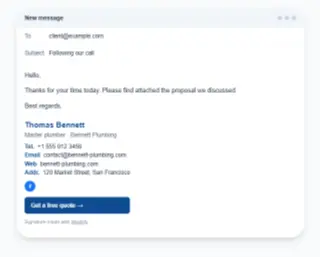
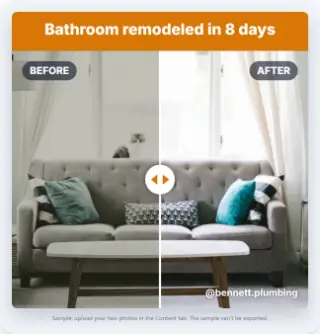
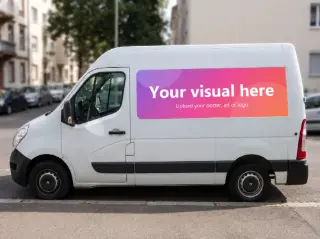
Business card: plumberFront with your identity, back with contact details and a QR code, ready to print.Emergency plumber business cardYour number in large type on a dark background: customers call you without searching, even mid-leak.Plumbing & heating business cardNavy and orange diagonal, boilers and heat pumps, contact QR code on the back.Plumber flyerRepair prices, free quote and emergency number, for door-to-door drops.Boiler servicing flyerYour annual servicing offer to hand out before winter: prices, certificate and phone number.Tradesperson review QRTo leave with the customer after the job.Tradesperson Facebook coverName, trade, 24/7 emergencies and phone.Plumber email signatureContact details, address and a “Get a free quote” button under every quote you send.Renovation before & afterThe slider that shows a room or project transformation.Van wrap mockupYour branding on the side of a van.

Where to leave your card

Plumbers who stay busy all year hand them out everywhere.

🔧

At the end of a job

Left on the invoice or by the water heater: found again at the next breakdown.

🏢

With property managers

Building managers are always looking for reliable, reachable plumbers.

🏬

In local shops

Hardware store, bakery, pharmacy: a card holder by the till.

🧾

With your quotes

Stapled to a paper quote, it keeps your number at hand when the customer signs.

Ready to make your plumber cards?

Front, back and QR code in under two minutes.

Create your mockup in 4 simple steps

Mockify is designed to be intuitive and fast, allowing you to generate realistic screenshots in seconds.

1

1. Pick your template

Classic (blue band), emergency (big number) or plumbing & heating (diagonal).

2

2. Fill in your details

Name, business, phone, email, website and service area.

3

3. Add logo and QR code

Your logo replaces the wrench; the QR code opens your website or saves your contact.

4

4. Print

Print files with bleed, or an A4 sheet of 10 cards to print at home.

A preview of what you will create

The exact image you download, in the free and Premium versions.

mockify-carte-de-visite-plombier.pngFree export
Author
Mike Johnson
12:30·
I just launched my new project! 🚀 What do you think?
like
41
96 comments23 shares708K views
Loading...Preparing the preview
Made with Mockify.frfree version
Subtle Mockify.fr watermark
mockify-carte-de-visite-plombier-hd.pngPremium export
Preparing the card…
Front
Preparing the card…
Back
HD, no watermark

Loved by Creators, Designers and Marketers

Use our tools to create engaging content, beautiful design mockups or impactful marketing campaigns.

★★★★★

"The result is astonishingly realistic. My clients can't see anything in it."

M
Marie L.
UI designer
★★★★★

"I use Mockify for all my social media mockups. Huge time savings."

T
Thomas R.
Marketer
★★★★★

"Simple, quick and the result is professional. I recommend 100%."

S
Sarah B.
Content creator

Choose your plan

Free features for everyone, and premium tools for professionals.

24h Pass

€2.90one-time payment

Just for today, full Creator access for 24 hours

  • Watermark-free exports, HD and transparent background
  • Unlimited exports (PNG, GIF, video, ZIP)
  • 9:16 story videos with sound and music (40 messages)
  • AI voice-over: 3 videos
  • AI stories: 10 generations
Unlock 24h for €2.90

Agency

€20.75/ month

€249 billed yearly

Everything in Creator, plus:

  • Client approval links
  • 3 team members
  • Batch generation from CSV
  • AI voice-over: 150 videos per month
  • AI stories: 1000 generations per month
  • Unlimited brand kits
Go Agency
BLACK FRIDAY −34%

Creator lifetime

Pay once, keep Creator forever

€149€99one-time payment

Choose lifetime access

Free: 1 export per day (3 with an account), watermarked.

Explore our other tools

Mockify offers dozens of simulators for all your content creation needs.

🛡️

Check before you print

Proofread your number, email and address, and scan the QR code with your phone before printing.

Everything you need to know

Questions? We have the answers to help you get the most out of Mockify.

What should a plumber business card include?
Your name, business name, a clearly visible phone number, your specialty (repairs, remodeling, heating), your service area and, if you have one, your website or Google listing. A QR code on the back saves customers from typing your number.
Should I write “24/7 emergency”?
Only if you really offer it. The emergency template is designed for repair plumbers; the classic one suits bathroom remodeling better.
What size is a business card?
In the US, 3.5 × 2 inches. In Europe, 85 × 55 mm. The tool offers both.
Can I print my cards at home?
Yes: the A4 sheet fits 10 cards per page, front then back. Print at 100% on thick paper, then cut.
Is it free?
Creating and downloading both sides is free, with a small watermark. Print files and the A4 sheet are included in the 24-hour pass, with no subscription.
Ready to create your own visuals?

Join the creators who use Mockify.

You might also like these tools

Plumber Marketing Kit: business cards, flyers, review QR code (free)

Business cards, flyers, Google review QR code, Facebook cover, email signature and before/after: 10 matching templates for plumbers and heating engineers, ready to print.

Plumber Flyer: free printable templates (repairs, boiler servicing)

Create a plumber flyer in A5 or A4: repair prices, free quote, emergency number or boiler servicing offer. 300 dpi files ready for the printer.

Google Review QR Code: printable poster and card to get more reviews (free)

Create a QR code that opens your Google review form directly, on an A4 poster, A5 flyer, counter card or window sticker. Ready to print.

Renovation Before and After: show your projects in one image (free)

Contractors, painters, landscapers, realtors: create a before and after of your work with a slider, title and logo, for social media, your website or your quotes.

Business Card Maker: templates by trade, ready to print (free)

Create a double-sided business card in 2 minutes: templates for plumbers, electricians, hairdressers, real estate, restaurants… QR code, logo, 300 dpi printer files.

Flyer Maker: event, sale or services flyers online (free)

Create a print-ready flyer in 2 minutes: event with date, sale with discount or services with prices. A5, A4, post or story, optional QR code.

Email Signature Generator: free professional signatures for Gmail and Outlook

Create a professional email signature in 2 minutes: photo, logo, contact details, social icons and a booking button. Paste it into Gmail, Outlook or Apple Mail. Free.

QR Code Business Card: open your site or save your contact in one scan

Add a QR code to the back of your business card: it opens your website or saves your details to the phone (vCard). 300 dpi files ready to print.